· Visonic AI Insights Team · Guides · 7 min read
Empowering Audio Describers in the Age of AI: A Step-by-Step Guide to Scaling Your Workflow
A practical guide for audio describers who want to use AI as workflow infrastructure: draft faster, preserve creative control, and scale without lowering quality.
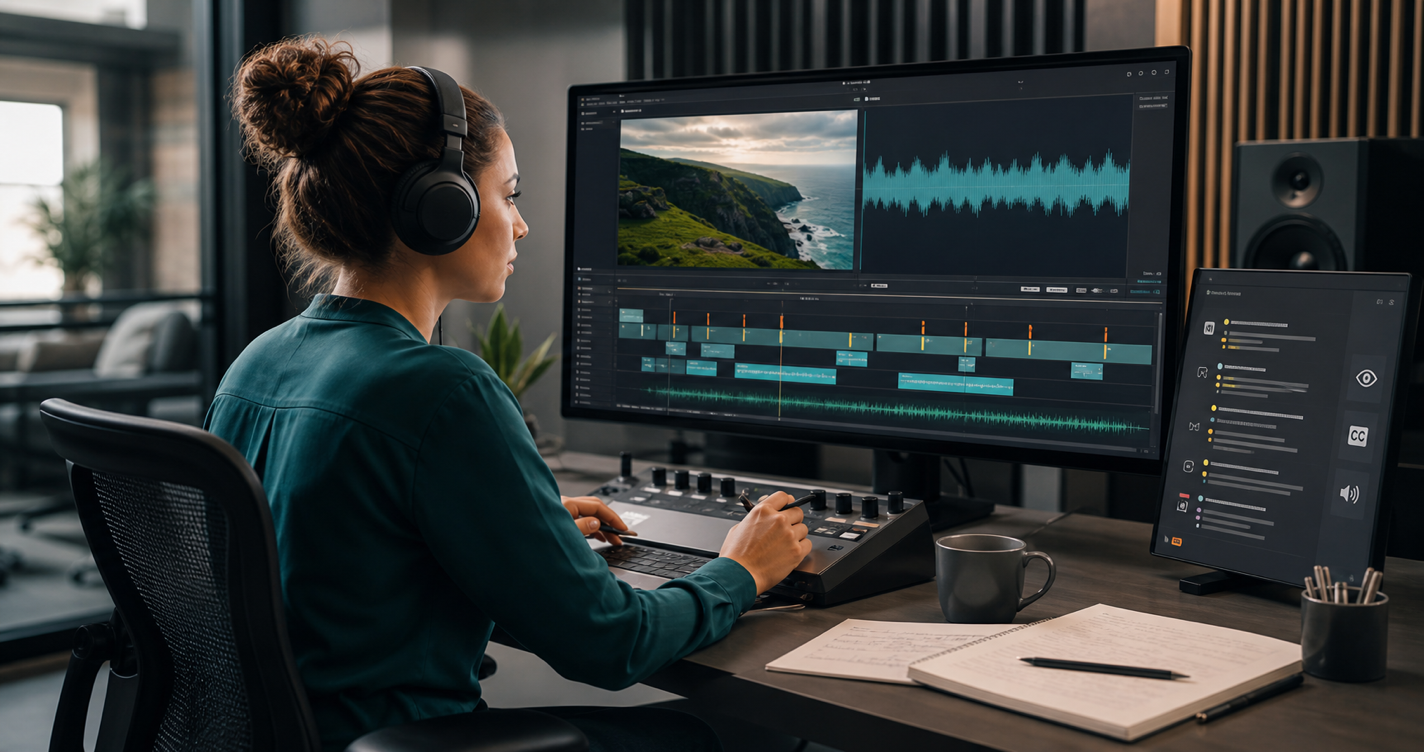
Audio description is skilled creative work. A strong describer is not just naming what appears on screen. They are deciding what matters, what can be left unsaid, how the description should sit between dialogue, and how a blind or low-vision viewer will experience the story.
The hard part is that much of the production process is not creative at all.
Spotting gaps. Aligning timecodes. Building the first pass. Rechecking the timeline. Exporting versions. Repeating the same setup work across episode after episode.
As demand for accessible media grows, that manual setup becomes the bottleneck. A traditional workflow can demand 8 to 12 hours of focused work for every finished hour of video. That makes it difficult for independent describers, boutique agencies, and in-house accessibility teams to take on more work without burning through the same finite hours.
AI changes the shape of the workflow. It should not remove the describer. It should remove the blank timeline.
This guide explains how to use AI as workflow infrastructure: a way to get to the editorial stage faster, keep human judgment in control, and scale the parts of audio description that should not require repetitive manual effort.
The Collaborative Model: AI as Your Production Assistant
The biggest misconception is that AI can replicate the full craft of audio description. It cannot.
Software can detect visual changes, identify gaps between spoken dialogue, and draft baseline descriptions. But it does not fully understand intent, irony, genre, cultural context, audience expectation, or the emotional weight of a pause.
That distinction matters. The best workflow divides the job by responsibility.
What AI Can Handle
- Initial spotting: scanning the audio track to identify likely description windows between dialogue.
- Timecode suggestions: placing draft descriptions where they can fit without interrupting the original program.
- Baseline script generation: creating a first-pass description of scenes, movements, objects, and visual changes.
- Format preparation: helping prepare outputs for review, localization, or production delivery.
What Humans Must Keep
- Creative intent and tone: matching the language to the genre, pacing, character dynamics, and emotional arc.
- Cultural competence: identifying humor, symbolism, sensitive representation, or context that automated systems can miss.
- Narrative restraint: deciding when silence is more useful than description.
- Final editorial review: rewriting, tightening, moving, or removing descriptions so the track feels natural.
For a deeper look at why this creates more human review work rather than less, read The AI Paradox in Audio Description.
A Step-by-Step AI-Assisted Workflow
Moving from a manual timeline to an AI-assisted workflow changes where your time goes. Instead of spending the first stretch of a project building the structure, you begin with a draft and spend more time improving the experience.
Step 1: Upload the Video
Start with a clean source file. A self-service platform such as the Visonic AI audio description generator can analyze the video and audio together, rather than treating the visuals and transcript as separate tasks.
At this stage, the goal is not perfection. The goal is a usable starting point: detected dialogue, likely description windows, visual context, and a draft script aligned to the timeline.
Step 2: Review the Automated Spotting
Before editing the words, check the structure.
Ask:
- Are the suggested description windows actually available?
- Does the timing respect dialogue, music, sound effects, and important pauses?
- Are any short gaps overfilled?
- Are any important visual moments missing?
This is where an experienced describer can move quickly. You are no longer hunting for every possible gap from scratch. You are validating and correcting the machine’s first pass.
Step 3: Rewrite for Intent
The draft script is raw material. Treat it like an assistant’s version, not a finished track.
Rewrite descriptions that are:
- too literal
- too long for the available window
- emotionally flat
- visually accurate but narratively unhelpful
- missing the point of the scene
- insensitive to cultural or character context
This is the highest-value part of the process. AI can say that a character turns away. A describer decides whether that turn reads as shame, suspicion, grief, hesitation, or nothing worth describing at all.
Step 4: Tighten for Pacing
Good audio description depends on rhythm. Even accurate descriptions can fail if they crowd the original audio.
Read the track aloud or generate a preview voice pass. Listen for:
- phrases that are too dense
- unnatural sentence rhythm
- descriptions that step on performance or sound design
- moments where a shorter phrase would give the scene more space
If your workflow supports synthetic voice output, use it as a preview tool even when a human voice actor will record the final version. It lets you catch timing issues earlier.
Step 5: Run Quality Assurance
Quality assurance should cover both accessibility and production standards.
Check that:
- descriptions are useful without being excessive
- timing is clean across the full video
- terminology is consistent
- character names and pronouns are handled correctly
- sensitive content is described with care
- exported files match the delivery requirements
For teams comparing vendors or platforms, our provider evaluation guide covers the questions to ask before committing to a production workflow.
How the Business Math Changes
The workflow shift is not only about speed. It changes what a describer can sell, quote, and deliver.
| Metric | Traditional Workflow | AI-Assisted Workflow |
|---|---|---|
| Starting point | Blank timeline | Timecoded first draft |
| Core early task | Manual spotting and scripting | Structural review and correction |
| Highest-value task | Often delayed until after setup | Starts much earlier |
| Capacity limit | Available manual production hours | Review capacity, QA standards, and client requirements |
| Best use of human skill | Spread across setup and creative work | Concentrated on editorial judgment and quality |
For freelancers, this can make larger projects practical. For boutique agencies, it can reduce the pain of back-catalog work. For internal teams, it can make audio description part of the normal content pipeline rather than an exception handled under pressure.
The important point is that scale should not mean lower standards. It should mean more content reaches the review stage, where human expertise can improve it.
New Roles for Audio Description Professionals
AI-assisted production also changes the career path around audio description.
Instead of one person doing every manual task from scratch, high-volume workflows create room for more specialized roles:
- AD editors who turn generated drafts into polished scripts.
- QA specialists who review timing, consistency, compliance, and audience usefulness.
- AD directors who define tone, style, language policy, and creative standards across a slate.
- Localization reviewers who adapt scripts for language, region, and cultural context.
- Blind and low-vision consultants who evaluate whether the final track actually works for the intended audience.
This is a healthier use of human expertise. The describer becomes less of a manual production bottleneck and more of an editorial authority.
A Practical Pilot Plan
The best way to evaluate AI is with a controlled test. Do not start with your hardest feature film, your largest client, or your tightest deadline.
Start small.
- Choose a five-minute control clip. Ideally, pick a clip you have already described manually.
- Run it through an AI-assisted workflow. Generate the draft, timing, and preview output.
- Compare timing quality. Look at where the automated pass found useful gaps and where it missed context.
- Compare script quality. Identify which lines were usable, which needed edits, and which had to be rewritten completely.
- Measure time to editorial stage. Track how long it took to reach meaningful creative review compared with starting from scratch.
- Document your standards. Create a checklist for the kinds of edits you made repeatedly.
That final step is important. Your first pilot should not just answer “is the draft good?” It should help define your repeatable review process.
The Bottom Line
AI should not be treated as a replacement for audio describers. It should be treated as infrastructure for describers who want to spend less time building timelines and more time improving the audience experience.
The future of audio description is human-led and AI-assisted. The machine can help with the structure. The describer still owns the judgment.
If you are exploring how to scale audio description without giving up editorial control, contact Visonic AI. We can show how an AI-assisted workflow fits into a human review and QA process.